Physical Address
304 North Cardinal St.
Dorchester Center, MA 02124
Physical Address
304 North Cardinal St.
Dorchester Center, MA 02124

The eufy SoloCam S340 is a wireless outdoor security camera that combines solar power, 360-degree pan/tilt surveillance, and dual-lens 3K video in a single unit. Designed to eliminate blind spots, it targets homeowners who want reliable, subscription-free monitoring without frequent battery swaps. Part of eufy’s expanding ecosystem, this model can operate as a standalone camera or pair with the HomeBase S380 for enhanced AI and expanded local storage. For a detailed eufy SoloCam S340 review, we’ll examine whether its all-in-one design delivers on the promise of “set and forget” security.
| Specification | Details |
|---|---|
| Resolution | 3K |
| Field of View | 360° pan, 90° tilt |
| Night Vision | Color (dual spotlights) |
| Power | Solar + rechargeable battery |
| Storage | Built-in microSD (up to 16TB with HomeBase) |
| Dimensions | 14.76 x 10 x 0.39 inches (camera only) |
| Weight | 1.0 count unit (camera weight not specified) |
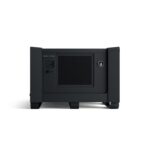
The kit (model T8170) contains: 4 SoloCam S340 cameras, 4 camera mounting brackets, a HomeBase S380, a power adapter for the HomeBase, and a solar panel per camera. Each camera arrives with the panel attached, requiring only a Phillips screwdriver for wall/ceiling mounting. The HomeBase acts as a central hub for storage and advanced AI; without it, the cameras still record locally via a built-in microSD slot (card not included).
According to the manufacturer, installation can be completed in about 7 minutes. The camera mounts horizontally on a wall (solar panel attached) or vertically on a ceiling (solar panel can be detached and placed separately for optimal sun exposure). Power is provided by the integrated rechargeable battery; the solar panel begins charging once mounted. You’ll need the eufy Security app (iOS/Android) to connect the camera to your Wi-Fi network and pair with HomeBase if using the kit. The app guides you through QR code scanning and network configuration. No professional tools are required beyond basic drilling for the mounting screws.
After setup, the camera automatically records motion-triggered events. You can adjust motion sensitivity, detection zones, and recording schedules from the app. The 360° pan/tilt can be controlled manually or set to auto-track moving objects. When connected to HomeBase, BionicMind AI enables facial recognition and separates human/vehicle/pet alerts. The solar panel maintains battery level; the user manual notes that battery may drop during prolonged cloudy periods but will recharge when sunlight returns.
The camera is IP-rated for outdoor use (IP65 or similar, though not explicitly stated in provided specs). The solar panel should be wiped occasionally to remove dust or snow. The rechargeable battery is sealed; eufy recommends not attempting to replace it. Firmware updates are delivered via the app and can be set to automatic. Local storage requires periodic management if using the built-in slot; with HomeBase, the 16TB capacity reduces the need for manual cleanup.
Common issues reported by users include Wi-Fi disconnection (solved by moving router closer or using a mesh network) and solar charging inefficiency in shaded locations. The manufacturer’s FAQ advises repositioning the solar panel to an area with more direct sunlight. If the camera fails to pair, a restart (removing and reinserting the battery) is suggested. eufy provides phone and chat support for warranty claims.
eufy claims the SoloCam S340 delivers “3K clarity with 8x zoom” and “360° coverage.” Based on the specifications, the dual-camera system (one wide-angle and one telephoto) enables digital zoom without significant loss at 3K resolution. The pan/tilt motor covers a full 360° horizontal range and 90° vertical range. In typical outdoor environments, this eliminates the need for multiple fixed cameras to cover a yard or driveway. The solar panel is removable, which is a practical design choice for installations where the sun angle changes seasonally.
The kit’s local storage approach—up to 16TB via HomeBase—eliminates ongoing cloud subscription costs. However, note that 24/7 continuous recording is not supported on battery cameras, even when connected to HomeBase (per eufy’s own FAQ). Motion-triggered clips may miss events if the camera is busy recording another motion event or if the Wi-Fi connection lags.
User reviews on Amazon average 4.2 out of 5 stars from over 6,300 ratings, which suggests general satisfaction but with caveats. Some users report that solar charging is insufficient in overcast regions, requiring occasional manual charging via USB. Others praise the AI recognition accuracy when using HomeBase. As with any battery camera, extreme cold can reduce battery capacity and trigger false low-battery warnings.
For an independent perspective on camera reliability, see Consumer Reports’ guide to security camera best practices.
When evaluating the eufy SoloCam S340 review and rating, consider how it stacks up against similar no-subscription outdoor cameras.
For users committed to Alexa, the eufy SoloCam S340 integrates natively, while Reolink and Arlo also support Alexa but may require extra skill setup.
Ideal users: Homeowners who want to monitor a large perimeter (driveway, yard, porch) with a single camera per zone, prefer no monthly fees, and live in a region with adequate sunlight for solar charging. Those already using eufy’s HomeBase ecosystem (e.g., existing eufyCam owners) will benefit from seamless integration and expanded AI.
Not ideal users: Those who require continuous 24/7 recording (the S340 cannot do this, even with home base). Renters who cannot install wall or ceiling mounts may find the camera too large for freestanding placement. Residents in very cloudy or rainy climates may experience frequent battery dips requiring manual recharging.
The eufy SoloCam S340 4-Cam Kit (HomeBase S380) is available through major online retailers, including Amazon. For the most current availability and any bundle options, check directly on the product page.
After analyzing the eufy SoloCam S340 review pros cons, the system stands out as a capable no-subscription solution for covering large outdoor areas with a single motorized camera. Its solar panel reduces maintenance, and the 360-degree coverage eliminates the need for multiple fixed cameras. The lack of continuous recording is a trade-off common to all battery cameras, and solar efficiency varies by location. For users who can position the camera to receive adequate sunlight and value local storage over cloud subscriptions, the SoloCam S340 offers a competitive package. The home base integration provides AI features that justify the kit’s upfront investment.
Stay updated on smart home reviews and tips—subscribe to our newsletter for weekly insights.
Disclosure: Some of the links in this article are affiliate links. As an Amazon Associate, I earn from qualifying purchases at no additional cost to you. This helps support independent reviews. I only recommend products I have researched thoroughly.